
Textile Designing using Illustrator Course Content
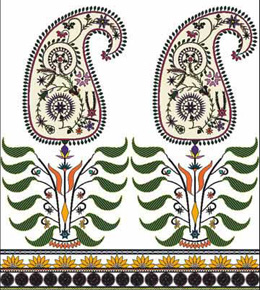
Textile Designing is concerned with understanding and creating one of the most intimate and yet public aspects of the material world. As technological and cultural creations, textiles are fundamental to the way we clothe, shelter and represent ourselves.
Using Illustrator, you would learn to design Textile Illustrations from a stratch. No prior knowledge of Illustrator is required as we teach you right from the basics.
Textile Designing CAD Using Illustrator Course Content
Phase I
Phase II
Phase III
Phase IV
Phase V
Phase VI
Phase I
- Introduction To Illustrator
- User Interface
- How to fill stroke

- How to apply gradient

- How to create basic shapes

- Live Demo - Simple floral pattern

- Live Demo - Simple geometric pattern

- Live Demo - Pasley Design

Phase II
- Tools
- Use of the Gradient Tool

- Use of the Symbol Tool

- Order & Shadow Tool
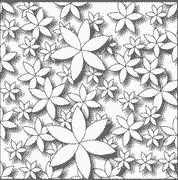
- Textile Design With Pink Purple Flowers

- Textile Design With Symbol Tool ( White Flowers)
.png)
Phase III
- Tools
- Fill Tool
- Shape Tool
- Using the Direct Selection Tool

- Creating a Compound Shape
- Using Ruler and Guidelines

- Geometric Border Design

- Using Repeat Sequence in a Motif Design

Phase IV
- Using Mesh Tool

- Using the Gradient and Effects(color)
.png)
- Gradient Design

- Mesh Tool Design

Phase V
- Masking Command

- Creating a Bohemain Design

- Creating a Patterned Border

Phase VI
- Creating a Knit Designs
- Creating a Lace Designs